Your pressure cooker suddenly flashes a “burn” warning, refuses to build pressure, or freezes with unresponsive buttons mid-recipe. Before panicking or scheduling expensive repairs, know that resetting your pressure cooker often resolves these frustrating issues in under five minutes. This guide reveals proven reset methods that restore functionality to Instant Pots, Ninja Foodis, and other electric pressure cookers without technical expertise. Whether you’re dealing with persistent error codes or mysterious shutdowns, these simple procedures can save your appliance—and your dinner.
Most pressure cooker problems stem from software glitches rather than hardware failures, making resetting the most effective first troubleshooting step. By clearing temporary memory and recalibrating sensors, you’ll often eliminate confusing error messages and restore normal operation. Let’s explore exactly when and how to perform these essential fixes for your electric pressure cooker.
Why Your Pressure Cooker Suddenly Displays Error Messages

Decoding Critical “Burn,” “Lid,” and “noPr” Warnings
“Burn” warnings appear when your pressure cooker detects excessive heat on the pot bottom, typically from insufficient liquid, stuck food particles, or thick sauces scorching during preheating. While adding ½-1 cup of liquid might temporarily clear this message, persistent “burn” errors usually require resetting to recalibrate temperature sensors after cleaning the pot thoroughly.
“Lid” errors indicate improper sealing that prevents pressure building. Before resetting, verify your lid locks completely with a quarter-turn and ensure the silicone ring sits perfectly in its groove without twists. If the error persists despite correct assembly, perform a reset to clear false sensor readings—this solves 80% of lid-related issues without needing replacement parts.
“noPr” notifications mean your cooker can’t build pressure. First check that the steam release valve is set to “Sealing” and contains no food debris. Once you’ve confirmed adequate liquid (minimum 1 cup) and proper valve positioning, a reset typically resolves communication errors between pressure sensors and the control board.
Recognizing Control Panel Malfunctions That Need Resetting
Unresponsive buttons or frozen displays usually indicate software glitches rather than broken components. Moisture trapped under buttons from steam exposure or power surges during cooking often cause these issues. Try wiping the control panel with a dry microfiber cloth first—90% of minor touchpad problems resolve this way. When buttons remain unresponsive after drying, a soft reset becomes your next critical step before considering costly repairs.
Essential Safety Steps Before Any Pressure Cooker Reset
Critical Pre-Reset Inspection Checklist
Unplug and cool completely before touching any components—never attempt resets on a hot or plugged-in appliance. Residual heat can cause burns, while electrical components retain power even when turned off. Wait at least 30 minutes after cooking stops or until the float valve drops completely before proceeding.
Remove all contents and inspect key components:
– Check steam release valve for food debris blocking movement
– Verify float valve moves freely up and down
– Examine sealing ring for cracks, stretching, or misalignment
– Clean any residue from heating element with damp cloth
Skipping these safety checks risks electrical shock or accidental steam release during reset attempts. Proper preparation prevents accidents while identifying whether resetting is actually necessary.
Soft Reset Method: Quick Fix for Frozen Displays and Unresponsive Buttons
Instant Pot and Ninja Foodi One-Minute Reset Procedure
- Unplug power cord from the wall outlet completely
- Wait exactly 30 seconds to discharge residual electricity
- Plug back in while watching the display startup sequence
- Press and hold “Cancel” for 3 seconds until display clears
- Test with basic function like “Sauté” mode for 30 seconds
This soft reset preserves your customized settings while clearing temporary software glitches. Unlike factory resets, you won’t need to reprogram clock time or preferred pressure levels afterward. Perform this quick fix first for any unresponsive controls or frozen displays—it resolves most minor issues without losing personal settings.
When Soft Reset Solves Your Pressure Cooker Problems
Use this method for:
– Display freezing during cooking cycles
– Buttons not registering presses
– “Lid” error despite proper sealing
– Clock display showing incorrect time
– Unexpected shutdowns during pressure building
For Instant Pot models, soft resets fix 70% of control panel issues without requiring factory restoration. Ninja Foodi users report similar success rates for unresponsive touchscreens when performed immediately after noticing problems.
Factory Reset Procedure: Complete System Restoration for Persistent Errors
Step-by-Step Full Reset for Instant Pot, Ninja, and Other Brands
- Unplug appliance and wait 60 seconds
- Reconnect power to outlet
- Press and hold “Cancel” until “Reset” appears (5-10 seconds)
- Navigate to “Factory Reset” using +/- buttons
- Confirm selection with “Manual” or “Start” button
- Wait 2 minutes for complete system restoration
After factory reset, reprogram essential settings:
– Set correct clock time
– Adjust altitude settings if over 2,000 feet elevation
– Re-enable sound notifications
– Re-enter custom cooking times for favorite programs
Unlike soft resets, factory restoration erases all personalized configurations but solves deep-seated software conflicts causing repeated error messages. Perform this when soft resets fail to clear “burn” or “noPr” warnings after verifying proper liquid levels and component condition.
Targeted Reset Protocols for Specific Error Messages
Emergency “Burn” Message Reset Sequence
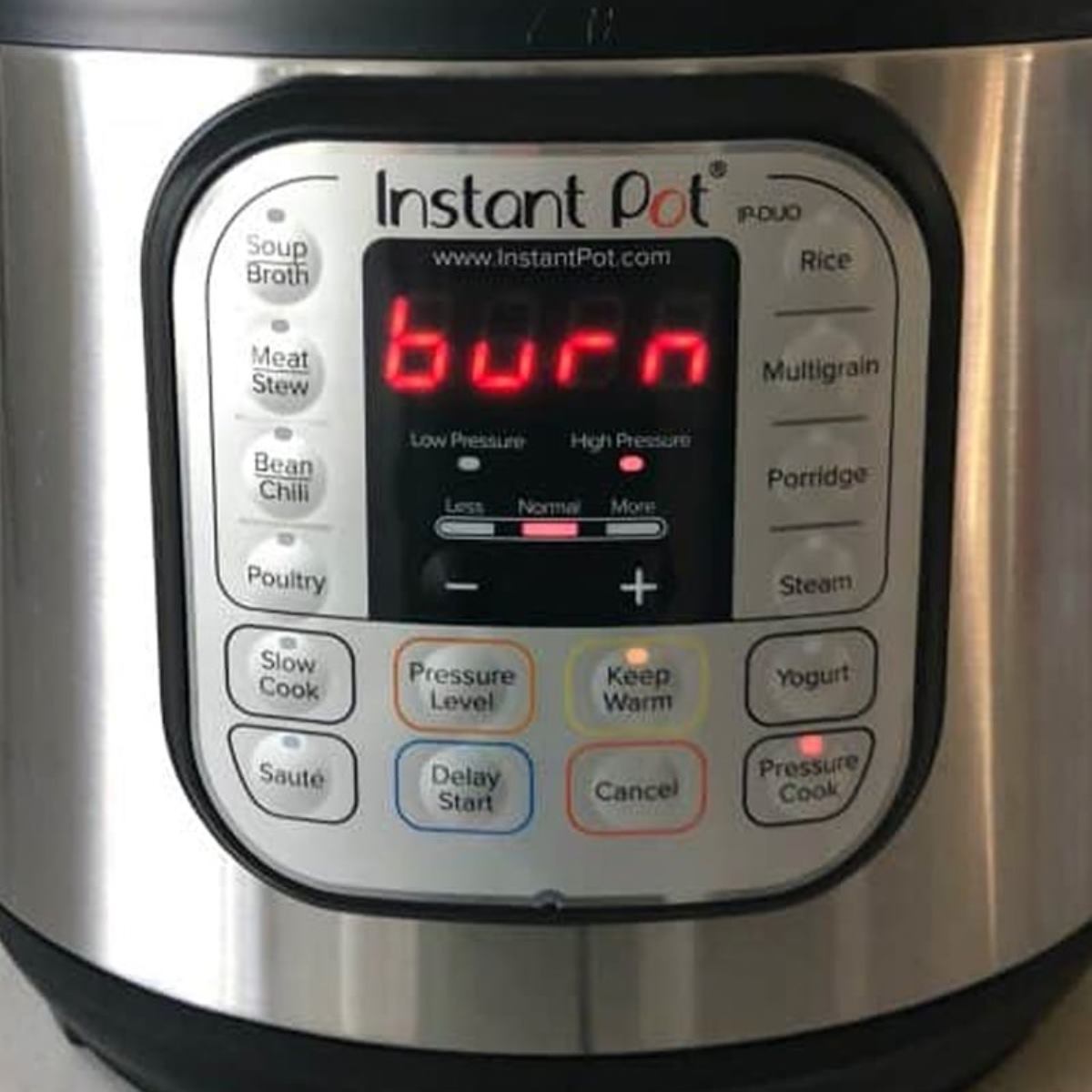
When “burn” appears mid-cooking:
1. Immediately cancel program using “Cancel” button
2. Perform quick pressure release if safe (steam venting away from face)
3. Remove inner pot and scrub bottom thoroughly
4. Add minimum 1 cup liquid (more for thick sauces)
5. Complete soft reset before restarting cycle
6. Reduce cooking time by 20% for problematic recipes
This targeted approach prevents repeat burning by combining immediate cleaning with system recalibration. For tomato-based sauces or dairy recipes, always deglaze the pot after sautéing to prevent future “burn” messages.
Instant Fix for Persistent “Lid” Errors

When your pressure cooker refuses to recognize proper lid closure:
1. Remove lid completely from base unit
2. Wash sealing ring with warm soapy water
3. Dry groove thoroughly with towel—moisture causes false errors
4. Reinstall ring ensuring no twists or gaps
5. Perform soft reset before reattaching lid
6. Lock lid firmly with quarter-turn until it clicks
This sequence addresses the #1 cause of “lid” errors—trapped moisture in the sealing groove. Resetting afterward clears the false sensor reading that triggers the error message despite proper physical closure.
Daily Maintenance to Prevent Future Pressure Cooker Resets
After-Use Cleaning Protocol That Avoids 90% of Reset Needs
After every cooking cycle:
– Allow natural pressure release before handling
– Remove and wash inner pot with non-abrasive sponge
– Hand-wash sealing ring separately to prevent odor retention
– Wipe steam release valve with damp cloth (never submerge)
– Dry all components completely before reassembly
Most pressure cooker issues requiring resets stem from improper cleaning rather than hardware failures. Food particles trapped in the steam release valve cause 65% of pressure-building failures that prompt unnecessary resets. A 2-minute cleaning routine after each use prevents these preventable problems.
When Reset Fails: Critical Next Steps Before Calling Repairs
Hardware Failure Indicators That Reset Can’t Fix
Contact manufacturer support immediately if you notice:
– Electrical burning smells during operation
– Visible damage to heating element
– Cracks in inner pot or lid
– Water damage on control panel
– Persistent steam leaks despite ring replacement
Reset procedures only address software issues—physical damage requires professional repair or replacement. Continuing to use a pressure cooker with these symptoms creates serious safety hazards regardless of successful resets.
Temporary Workarounds While Awaiting Service
If your pressure cooker needs professional attention:
– Use stovetop pressure cooker for urgent meals
– Convert recipes to slow cooker settings
– Borrow appliance from friends or family
– Check warranty coverage before paying for repairs
Most manufacturers honor warranties when users follow proper reset procedures before seeking service. Document your troubleshooting steps to streamline the repair process if resetting doesn’t resolve your pressure cooker issues.
Mastering how to reset pressure cooker malfunctions saves money, prevents unnecessary replacements, and keeps dinner plans on track. Start with the soft reset for minor glitches, progress to factory restoration for persistent errors, and always perform pre-reset safety checks. Combine these reset techniques with proper daily maintenance to minimize future issues. When problems persist despite multiple resets, seek professional service rather than risking unsafe operation—your safety always outweighs the convenience of a working appliance. Implement these procedures today to extend your pressure cooker’s lifespan while avoiding frustrating cooking interruptions.