Your slow cooker’s timer just reset itself when you switched from high to low, and now dinner won’t be ready until midnight. This frustrating automatic reset behavior catches most home cooks off guard, leaving them wondering how to reset slow cooker settings properly without overcooking their meal. Whether you’re dealing with an unexpected power outage, need to adjust cooking times mid-process, or want to restart your meal completely, understanding the precise reset mechanism ensures your food turns out perfectly every time. Mastering how to reset slow cooker functions isn’t just convenient—it’s essential for food safety and meal planning success.
The truth is that programmable slow cookers don’t actually have a dedicated “reset button” like many appliances. Instead, they automatically restart their internal timer whenever you change cooking settings, creating confusion for home chefs who expect their device to remember previous cooking time. By learning exactly when and why your slow cooker resets, you can work with this feature rather than against it, transforming what seems like a design flaw into a powerful cooking tool.
Temperature Setting Changes That Trigger Resets
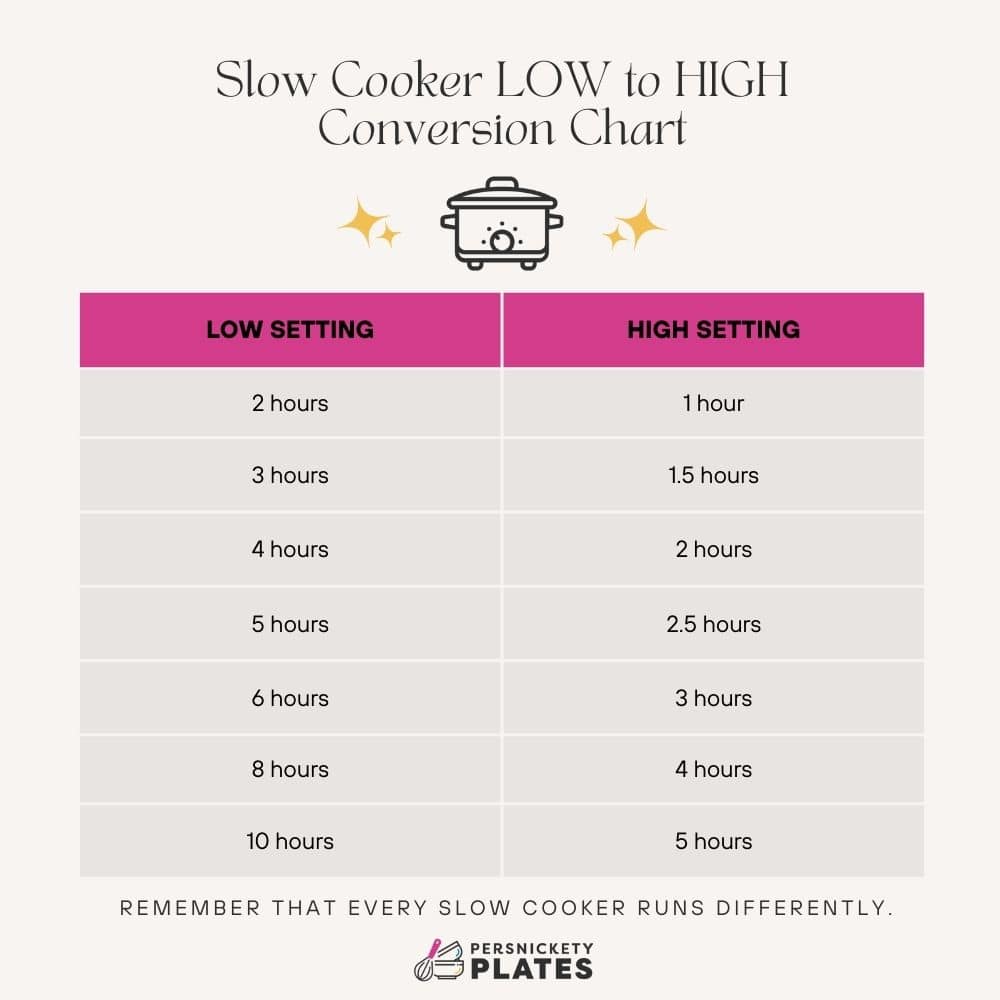
The moment you touch that temperature dial, your programmable slow cooker starts fresh. Unlike stovetop cooking where you can simply lower the heat, slow cookers treat every setting change as a brand new cooking session. This design choice affects everything from food safety to meal planning.
High to Low and Low to High Switching Effects
Every adjustment triggers a full reset—no exceptions. When you switch from high to low at the 2-hour mark, the internal timer forgets those first two hours ever happened. Your 6-hour low setting just became 8 hours total cooking time.
Common reset scenarios:
– High to Low: Timer jumps to low’s full duration (usually 8-10 hours)
– Low to High: Timer resets to high’s shorter cycle (typically 4-6 hours)
– Warm setting activation: Often triggers a 2-hour keep-warm cycle
Pro tip: If you need to switch from high to low but want to maintain your original timeline, set the timer for the remaining time only, not the full low setting duration.
Power Interruption Reset Patterns
Temporary power loss creates unpredictable results. Some models resume exactly where they left off, while others restart completely from zero. This variation makes post-outage monitoring crucial for food safety.
What to check after power returns:
– Display shows original time remaining (resumed cycle)
– Timer shows full duration (complete restart)
– Unit displays error code (manual reset required)
Critical safety step: If your slow cooker was off for more than an hour, check food temperature with an instant-read thermometer. Food must be above 140°F to remain safe for consumption.
Proper Reset Technique When You Need to Start Over
Resetting your slow cooker isn’t just about pressing buttons—it’s strategic timing that affects your entire meal. Follow these steps to reset without ruining dinner.
Quick Full Reset Method
- Pause cooking: Press “off” or unplug for 30 seconds
- Select new setting: Choose desired temperature
- Set timer: Input full cooking time for new setting
- Resume cooking: Unit starts fresh with new parameters
Pro tip: Use water to test reset behavior before trying with actual food. This prevents costly mistakes and helps you learn your model’s specific patterns.
Mid-Cook Adjustment Strategy
When you need to change settings midway through cooking:
Before making changes:
– Note current elapsed time
– Calculate new total cook time
– Check food temperature with instant-read thermometer
– Plan serving time accordingly
After reset:
– Add previous cook time to new setting duration
– Monitor food safety (above 140°F for safe holding)
– Adjust seasoning as flavors concentrate during extended cooking
Programmable vs. Manual Models: Reset Differences
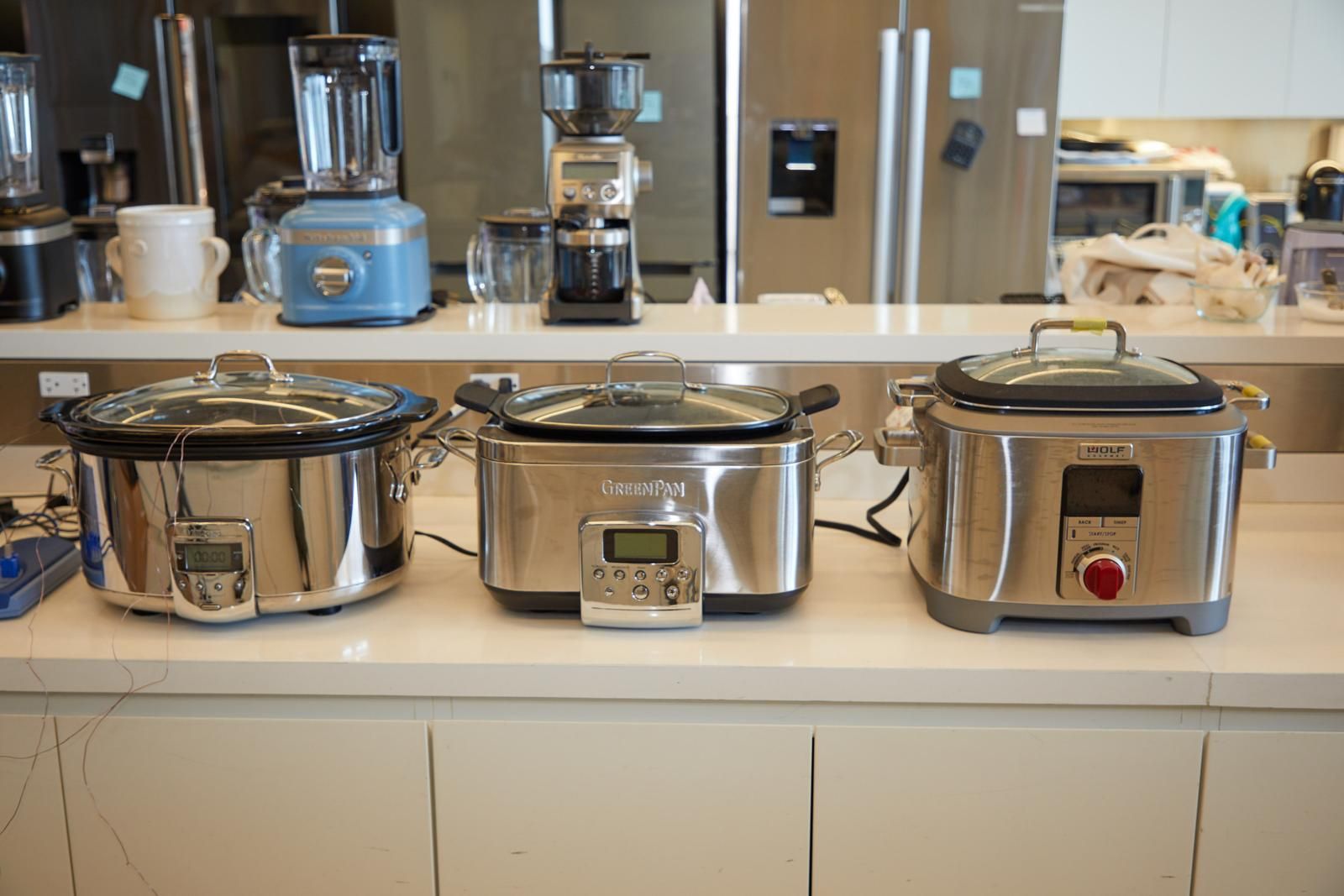
Not all slow cookers reset the same way. Your unit’s programming determines whether you’re extending dinner by 30 minutes or 3 hours.
Digital Programmable Units
Programmable models follow strict reset rules. Every setting change triggers the full timer reset, making advance planning essential for multi-phase recipes.
Critical limitation: These models never track elapsed time across setting changes—you must calculate total cooking time manually when adjusting settings.
Safety consideration: Extended cooking times from multiple resets can cause food to exceed safe temperature holding periods, potentially creating food safety risks.
Traditional Manual Models
Manual dial models offer more flexibility. The heating element responds immediately to dial changes, but you must track time manually. These units never truly “reset”—they just change intensity while you monitor the clock.
Key difference: Programmable models restart their internal timer; manual models simply change heat levels without altering the clock.
Best practice: If using a manual model, set a separate kitchen timer to track total cooking time regardless of setting changes.
Fixing Common Reset Mistakes
That dinner disaster wasn’t your fault—it was a reset timing issue. Learn to recognize and correct the most frequent slow cooker reset errors.
Overcooked Food After Reset
Problem: Switched low to high, timer reset to 6 hours instead of finishing original 2 remaining
Solution: Use warm setting for final hour, or set timer manually for remaining time only
Prevention strategy: Never switch from low to high in final hours unless intentionally extending cook time. If you must change settings late in cooking, use the warm setting instead.
Power Outage Confusion
Problem: Unsure whether cycle resumed or restarted after power returned
Solution:
– Check food temperature immediately
– If below 140°F, restart full cycle as safety precaution
– If above 140°F, continue monitoring and test doneness
Critical step: When power returns, note the displayed time versus what you expected—this reveals whether your model resumes or restarts.
Preventing Accidental Resets
Smart cooking starts with preventing unwanted resets before they happen. These strategies keep your timer on track and dinner on schedule.
Strategic Pre-Cook Planning
Set it and forget it only works when you’ve planned the entire cycle. Before starting:
- Calculate total needed cook time
- Choose appropriate setting from the start
- Build in buffer time for delays
- Note serving time and work backwards
Example timeline:
– Need dinner at 6:00 PM
– Recipe requires 8 hours on low
– Start at 8:00 AM, avoid any changes
Pro tip: Program your slow cooker the night before and use the delay start feature if available.
Safe Setting Change Windows
Sometimes you must adjust settings mid-cook. Do it safely:
Acceptable adjustment windows:
– First hour: Any changes allowed
– Middle hours: Switch high/low with time calculation
– Final hour: Use warm setting only
Red flag adjustments:
– Never switch low to high in final 2 hours
– Avoid multiple setting changes in one session
– Don’t reset timer to extend already-cooked food
Reset Testing Methods for Your Specific Model
Before trusting your slow cooker with an important meal, verify its reset behavior. These simple tests reveal your unit’s specific patterns.
Water Test Protocol
Fill your slow cooker 2/3 with water and test reset responses:
- Initial test: Set on high for 2 hours
- Mid-cycle change: Switch to low after 1 hour
- Monitor results: Note new completion time
- Document findings: Create reference card for future use
What to record:
– Original setting duration
– New setting duration after change
– Total elapsed time vs. displayed time
– Any error codes or unusual behavior
Expert insight: Testing with water prevents food waste while you learn your slow cooker’s reset behavior.
Advanced Reset Techniques for Perfect Results
Professional chefs use reset behavior strategically to create perfect textures and flavors. These advanced techniques turn the reset “problem” into a cooking advantage.
Strategic Two-Stage Cooking
Two-stage cooking: Start on high for 2 hours, reset to low for 6 hours
– High heat jumpstarts cooking
– Low heat finishes gently
– Total time remains 8 hours, but food quality improves
Temperature staggering: Use warm as a holding pattern
– Cook on low for 6 hours
– Switch to warm for 2 hours before serving
– Prevents overcooking while maintaining temperature
Simple Timing Calculations
Instead of complex math, use this reference chart:
| Original Setting | Switch To | Time Adjustment |
|---|---|---|
| High (4 hours) | Low (8 hours) | +4 hours |
| Low (8 hours) | High (4 hours) | -2 to 4 hours |
| High (4 hours) | Warm (2 hours) | No additional time |
Quick rule: Whatever time has elapsed becomes bonus cooking time when you switch to a longer setting.
Your slow cooker’s reset behavior isn’t a flaw—it’s a feature that provides precise control when understood properly. By planning setting changes, testing your unit’s specific responses, and using strategic timing, you can reset slow cooker functions confidently without ruining meals. Remember: every reset starts the timer fresh, so calculate total cooking time from the moment of change, not from when you first started cooking. The next time you need to reset slow cooker settings, you’ll know exactly how to adjust your timeline for perfect results every time. Most importantly, never assume your slow cooker remembers previous cooking time—always verify and adjust based on your specific model’s behavior.